
- Home
- Restaurants
For restaurants in Egypt
Table ordering that keeps up with a full dining room.
Guests scan the code on the table, order from a menu with photos and options, and pay for their own items or the whole table. Your staff see every order and help request live, and every payment lands in one ledger.
- One live session per table, shared by everyone sitting at it
- Split the bill by item, or settle the whole table at once
- Per-item notes that reach the kitchen with the order
- A call button that tells the guest who is on the way
Where a busy service loses time
In a full restaurant the slow part is rarely the kitchen. It is the waiting: for a menu, for someone to take the order, for the bill, for change.
-
Guests wait to be noticed
A table ready to order, or ready to pay, waits until a server walks past. At peak time that wait is the longest part of the meal.
-
Splitting the bill at the table
Six friends, one bill, three paying by card and two in cash. Working it out at the table slows the server and the turnover of the table.
-
Orders lost between table and kitchen
"No onions" written on a pad, read across a loud kitchen, gets missed. Every remade dish is food and time you pay for twice.
Everything a table needs, from the first scan to the last payment
Profiley replaces the QR menu subscription, the paper order pad and the card terminal report with one workspace your floor and kitchen staff share.
-
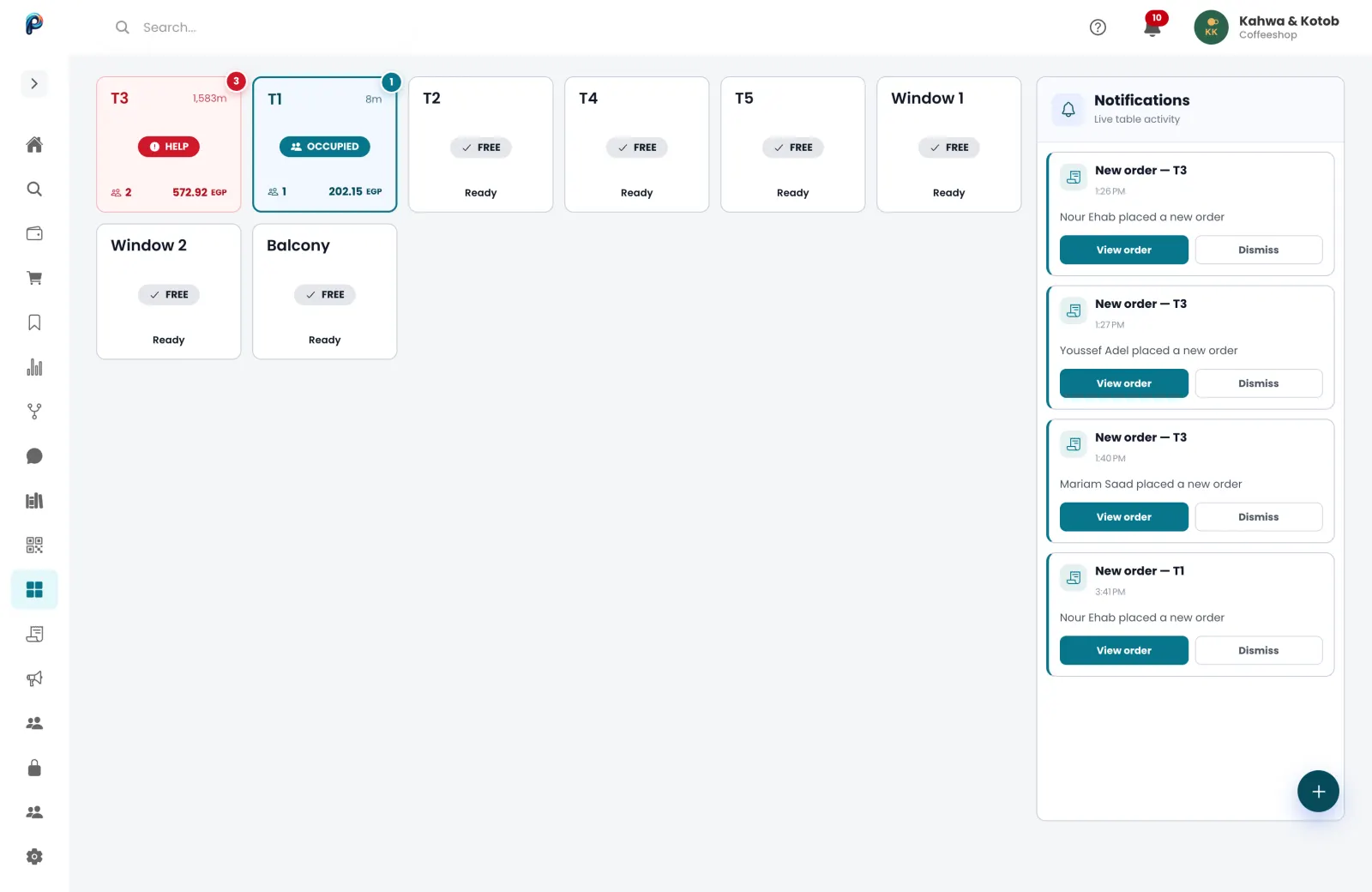
Live table sessions
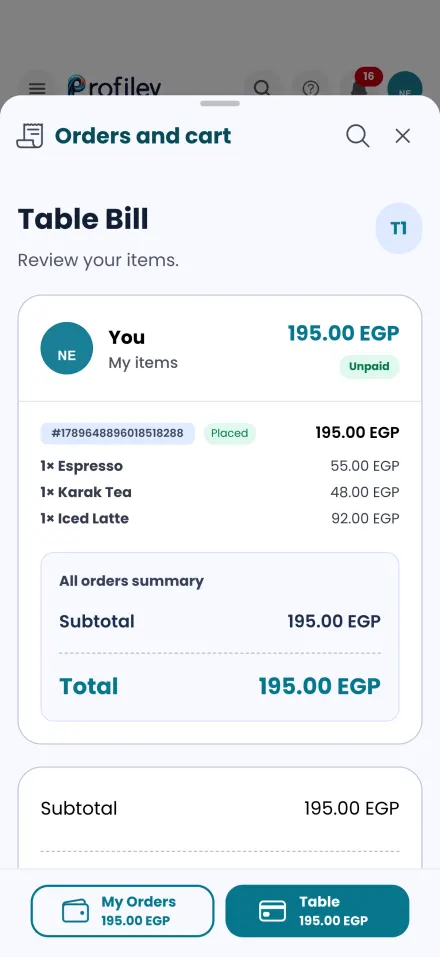
Everyone at the table scans the same code and orders into one session, so the table has one running bill however many phones are ordering.
-
Split bills without the maths
Each guest pays for exactly what they ordered, by card, wallet or cash, or one person settles the whole table. The bill updates as each share is paid.
-
Kitchen notes on every item
Guests and staff add notes to individual items, like no onions or extra spicy, and the note travels with the order instead of a scrap of paper.
-
Digital call button
A guest asks for help from their phone, your staff get an instant alert, and the guest sees which staff member accepted and is on the way.
-
Staff can order for the table
Your team can place or edit an order on a guest’s behalf, for the regular who prefers to order out loud, without leaving the table’s session.
-
Alerts the floor cannot miss
New orders and help requests arrive as push notifications, and as full-screen alerts on Android phones, so nothing is missed mid-rush.
What your customers and your team see
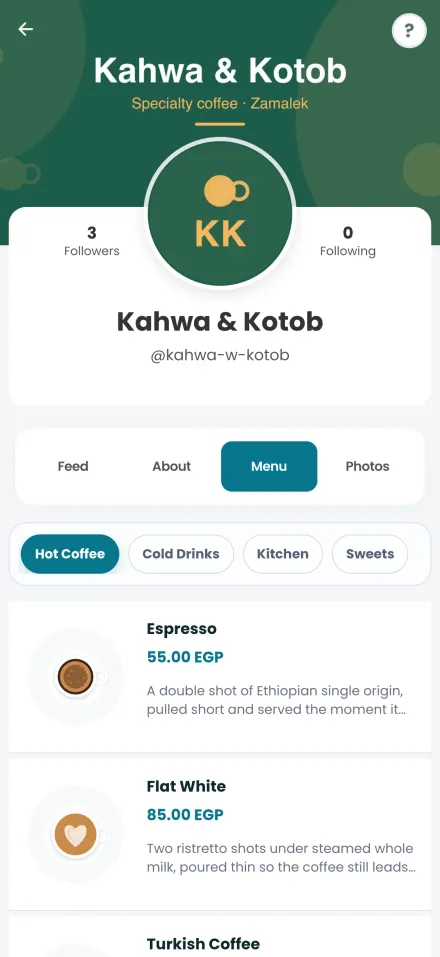
Real screens from Profiley: a complete workspace for your team on a laptop or tablet, and a phone experience your customers can start in seconds from a browser, in English or Arabic.
From menu to first order in an afternoon
-
1
Build your menu
Add your dishes with photos, prices and options like size or extras, in English and Arabic.
-
2
Set up your tables
Create your tables and print a QR code for each one, or write it onto an NFC tag guests can tap.
-
3
Open for orders
Guests scan and order in the browser with nothing to install, and your staff take it from there on the app.
- Zero setup fees
- Zero monthly subscriptions
- No transaction fee at all on cash.
Questions restaurants ask
Do guests need to download an app to order?
No. Guests scan the code and order in any browser. The app is optional for them, and it is what your staff use to receive orders and alerts.
Can a table pay with a mix of card and cash?
Yes. Each guest can pay their own share by card, from their Profiley wallet or in cash, or one guest can pay for everyone. Cash is recorded as pending until your staff confirm they received it.
What happens if a guest wants to order through a waiter?
Your staff can place or edit the order on the guest’s behalf from the app, and it joins the same table session and bill.
Can I offer delivery and pickup too?
Yes. The same menu takes pickup and delivery orders. Deliver with your own staff or dispatch to a courier, with fees based on distance.
What does it cost?
No setup fee and no monthly subscription. Cash payments carry no fee. Card payments carry a small processing fee per transaction, shown to the guest before they pay.
Put your first QR code on a table today
Create your restaurant profile, add your menu and your tables, and print the codes. Free to start, no card required.