
- Home
- QR menu
QR and NFC menus
A menu guests scan, order from and pay.
Not a PDF of your printed menu. A live menu with photos, options and prices that guests open by scanning a QR code or tapping an NFC tag, order from straight away, and pay at the table, all in the browser.
- Opens in the browser, nothing to install
- Photos, options and paid extras on every item
- QR codes and NFC tags for every table
- English and Arabic, right to left included
Most QR menus stop at showing the menu
A scanned PDF saves printing costs, but the guest still has to wait for someone to take the order and bring the bill.
-
A PDF is not a menu
Pinch-and-zoom on a photographed menu, with no prices updated and no way to order, is a worse experience than paper.
-
Reprinting for every change
A new price or a sold-out dish means a new print run, or a menu that is wrong until you get round to it.
-
No idea who scans
A static code tells you nothing about which tables use it, when, or whether those guests come back.
A menu that takes orders
Every item is live, orderable and up to date the moment you change it.
-
Scan and order
Guests scan the table’s code, see today’s menu and order straight away, with the order going to your staff in real time.
-
NFC tags too
Write a table’s code onto an NFC sticker from your phone, so guests can tap instead of scanning.
-
Photos on every dish
Several photos per item, so guests order what they can see rather than guessing from a name.
-
Options and extras
Sizes, choices and paid extras on each item, with notes for the kitchen on every line.
-
Table sessions and split bills
Everyone at a table orders into one session and pays for their own items, or one person pays for the table.
-
Scan analytics
See scans by table and code, with peak hours and returning guests, so you know how the menu is used.
What your customers and your team see
Real screens from Profiley: a complete workspace for your team on a laptop or tablet, and a phone experience your customers can start in seconds from a browser, in English or Arabic.
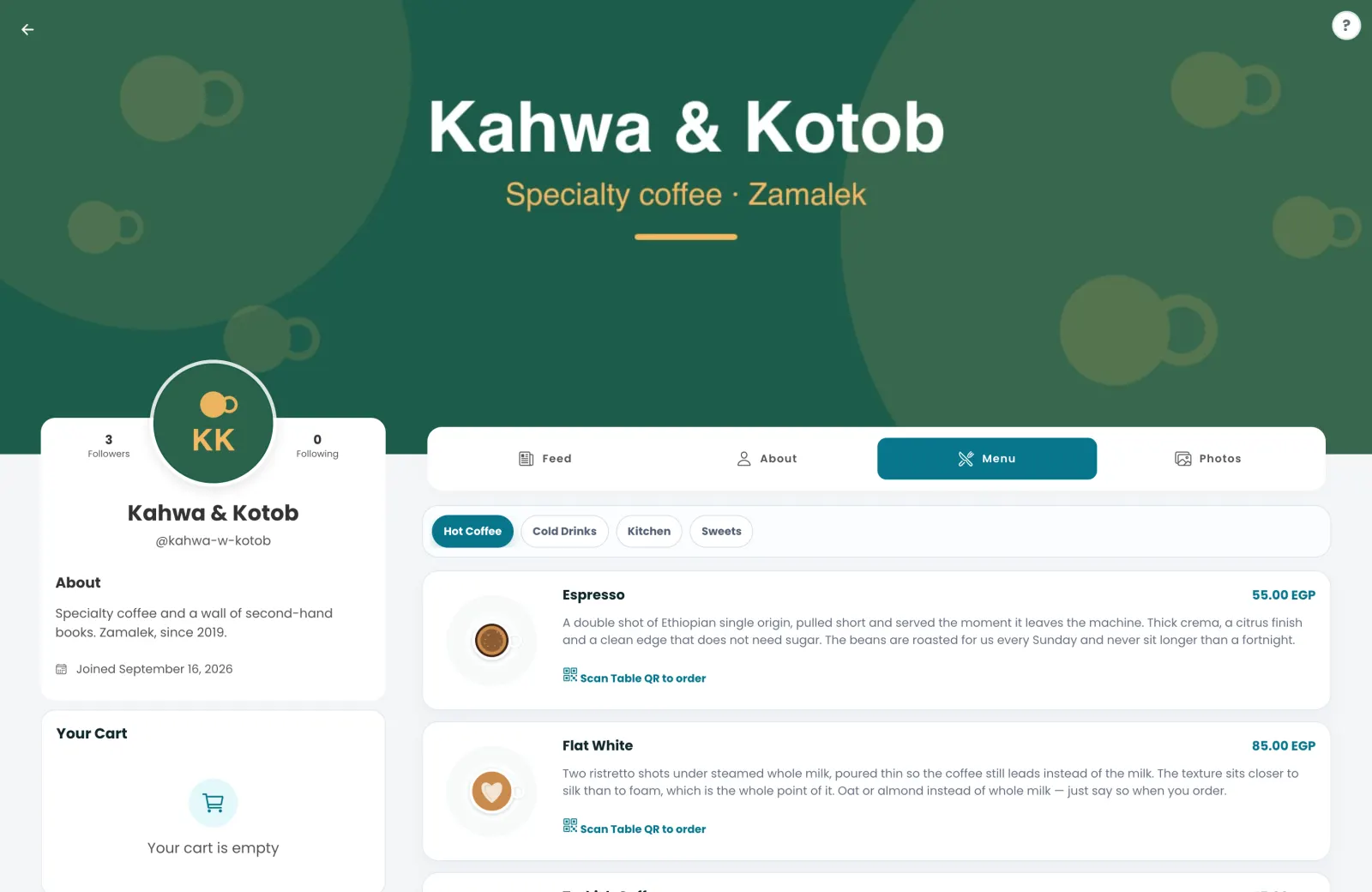
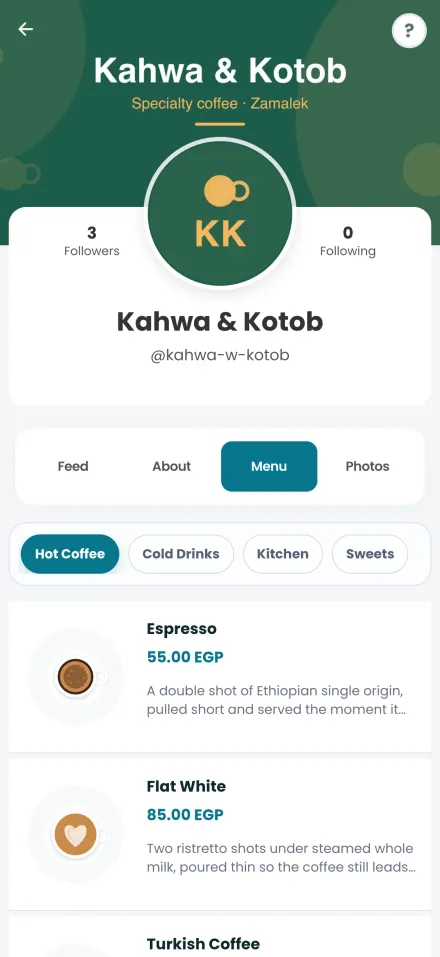
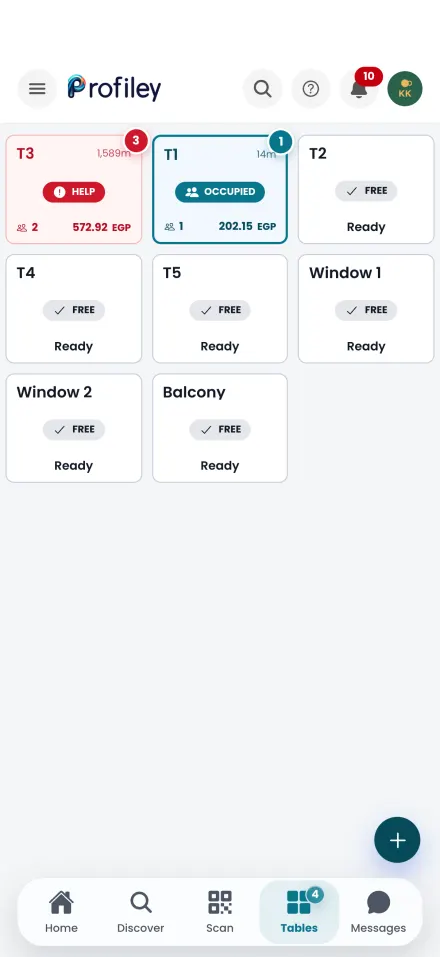
Your QR menu in three steps
-
1
Add your menu
Items, photos, prices and options, in English and Arabic.
-
2
Create your tables
Each table gets its own QR code to print, and can have an NFC tag too.
-
3
Guests scan and order
Orders reach your staff as they are placed, and guests pay from the table.
- Zero setup fees
- Zero monthly subscriptions
- No transaction fee at all on cash.
Questions about the QR menu
Do guests need an app to use the menu?
No. The menu opens in any phone browser from the QR code or NFC tag. Nothing to install.
Can I change prices or hide a dish without reprinting?
Yes. The code always opens the live menu, so any change you make shows up immediately.
Is the menu available in Arabic?
Yes. The menu and the whole ordering flow work in English and Arabic, including right to left layout.
What is an NFC tag?
A small sticker a phone can read by tapping it. You write the table’s code onto a blank tag from the Profiley app, and guests tap it instead of scanning.
What does the QR menu cost?
Nothing per month. Profiley has no setup fee or subscription. Card payments made through the menu carry a small processing fee, shown to the guest before they pay.
Create your QR menu today
Add your menu, create your tables and print the codes. Free to start, no card required.