
- Home
- Online bookings
Online booking and scheduling
Bookings that fill your calendar, not your inbox.
Customers see your real availability and book a slot themselves, from your profile link or a QR code. The schedule is calculated live from your hours and capacity, can never double book, and handles payments, packages and no-shows in the same place.
- Availability calculated live from your hours and capacity
- Two people can never take the same slot
- Prepaid packages drawn down automatically
- Pay to book by card, wallet or cash
Why booking by message does not scale
Taking bookings by phone and chat works for a handful of customers a day. Beyond that it becomes the job.
-
Back-and-forth for every slot
"Is 5pm free?" "No, how about 6?" Every booking costs several messages and a check of the calendar.
-
Double bookings
When bookings come in from several channels at once, the same slot gets given out twice.
-
Prepaid sessions tracked by hand
Customers who bought a package need someone to count what they have left, and mistakes cost money or goodwill.
Everything booking needs, nothing it does not
For clinics, salons, gyms, studios, consultants and anyone who sells time.
-
Live availability
Set your working hours, breaks and service durations once. Customers only ever see slots that are actually free.
-
Capacity and double booking protection
Decide how many people each slot can take. Concurrent requests are guarded, so two people can never take the last place.
-
Prepaid packages
Sell a set number of sessions once, and each booking is drawn down from the package automatically until it is used up.
-
Pay to book
Customers pay by card or Profiley wallet when they book, or choose cash, which your staff confirm when they receive it.
-
Branches with their own schedule
Each branch keeps its own location, hours and schedule, while sharing your brand and services.
-
No-shows and insights
Mark no-shows in one tap and see bookings, no-shows and busy hours over time.
What your customers and your team see
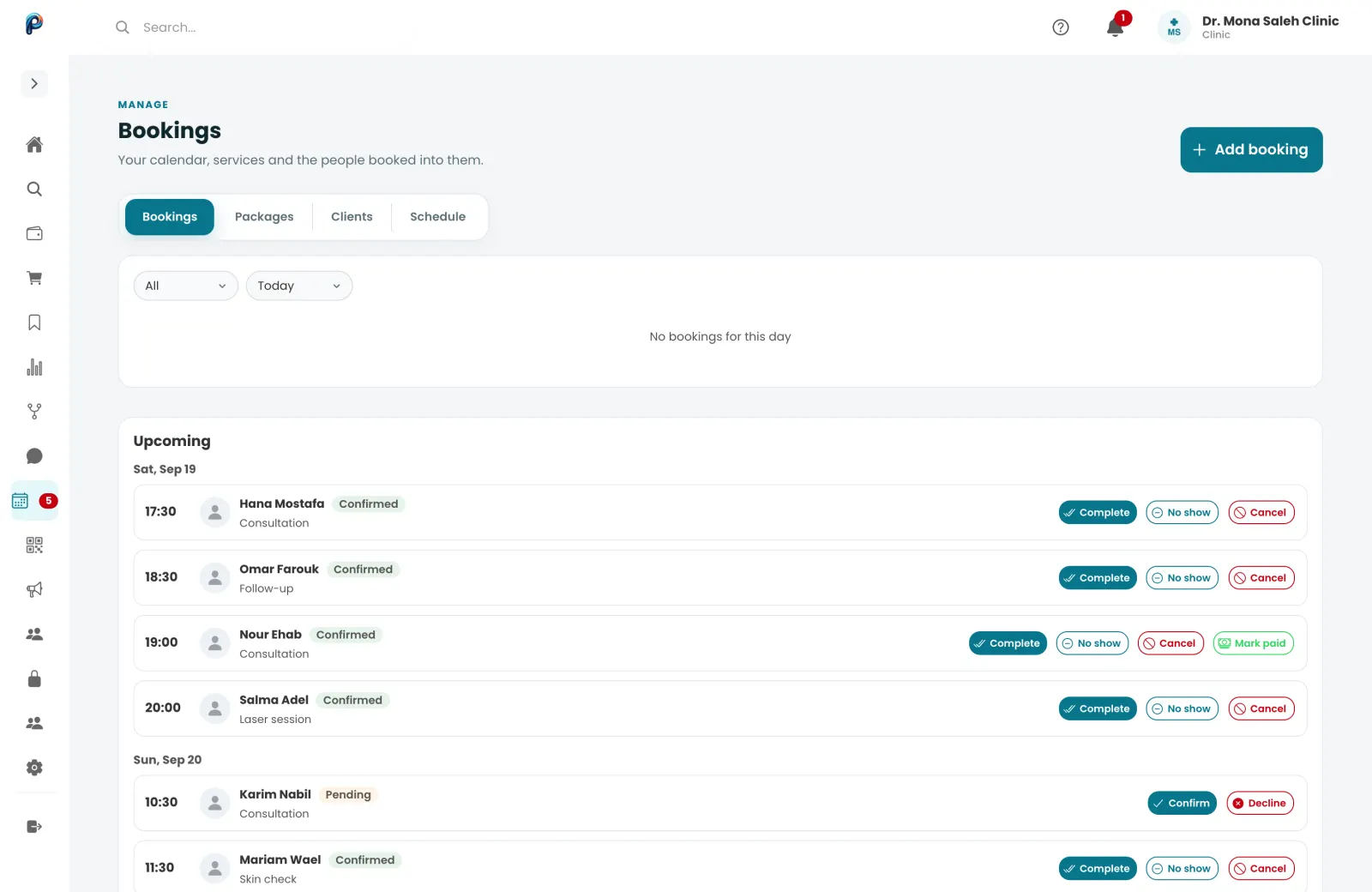
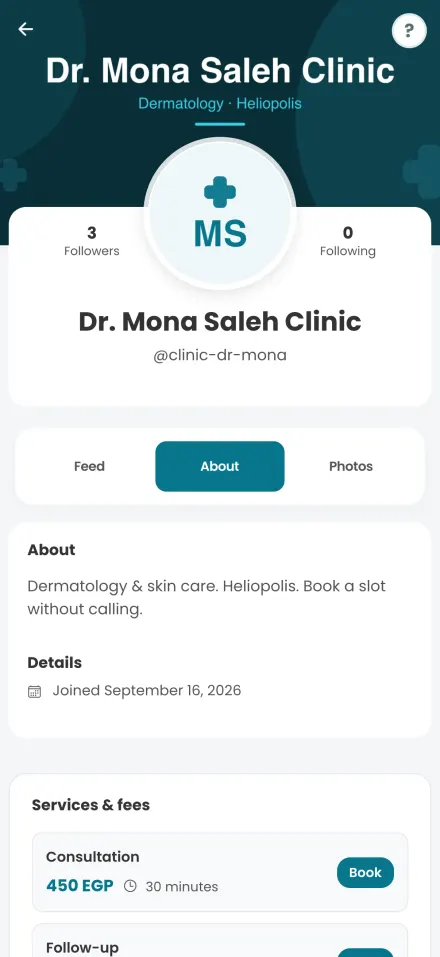
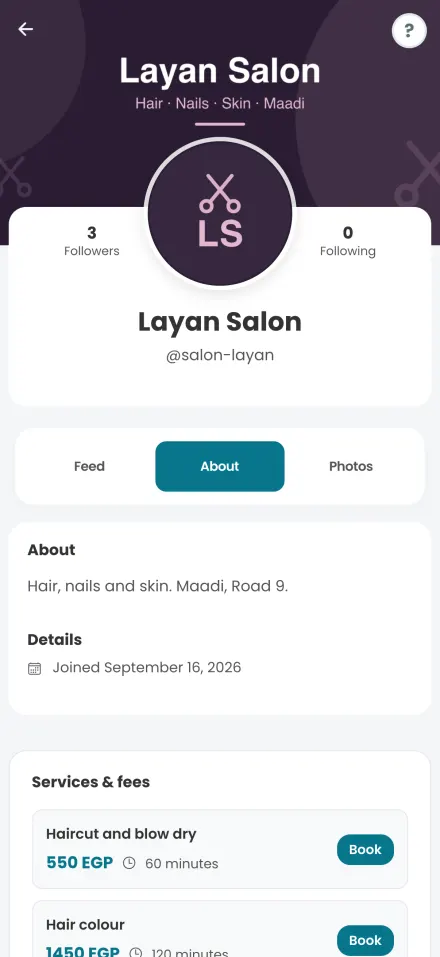
Real screens from Profiley: a complete workspace for your team on a laptop or tablet, and a phone experience your customers can start in seconds from a browser, in English or Arabic.
Start taking bookings today
-
1
Set your schedule
Working hours, breaks, and how many people you can take at once.
-
2
Add your services
Each with a duration and price, plus any packages you sell.
-
3
Share your link
Customers book from your profile link or QR code, and new bookings reach your phone instantly.
- Zero setup fees
- Zero monthly subscriptions
- No transaction fee at all on cash.
Questions about online booking
What kinds of businesses can use it?
Any business that sells time: clinics, salons, spas, gyms, studios, training centres, consultants and more.
Can two customers book the same slot?
No. Availability is checked live and concurrent requests are guarded, so once a slot is full nobody else can take it.
Can customers pay when they book?
Yes, by card or from their Profiley wallet. They can also choose cash, recorded as pending until your staff confirm it.
Do customers need an app?
No. They book from any browser. The app adds instant updates about their bookings.
What does it cost?
No setup fee and no monthly subscription. Card payments carry a small processing fee per transaction; cash has none.
Take your first online booking today
Set your hours, add your services and share your link. Free to start, no card required.