
- Home
- Digital business card
Digital business card
One scan, and you are in their contacts.
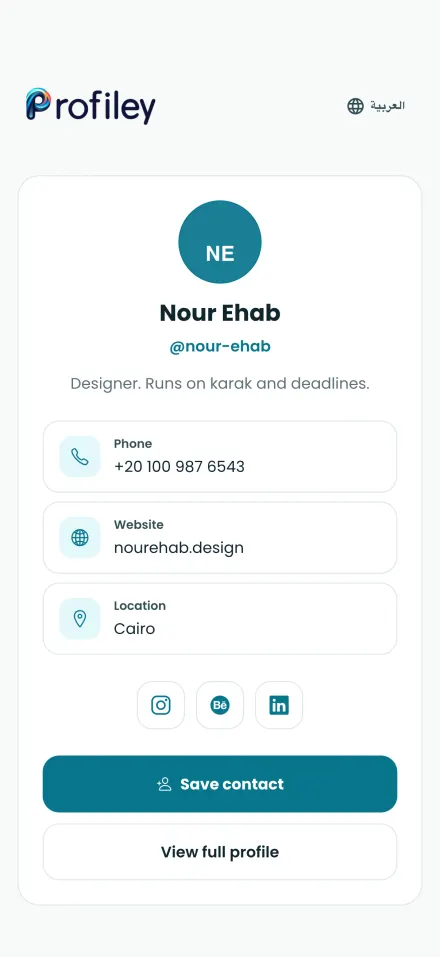
Your Profiley contact card holds your phone number, website, location and social links behind one QR code. People scan it and save you to their phone in one tap, with no app and nothing to type.
- Phone, website, location and social links
- Save to contacts in one tap
- Change details without reprinting the code
- Printable stickers, including Lost & found
Paper business cards do not keep up
They get lost, go out of date and end up as a photo nobody looks at again.
-
Out of date the day you change number
A new number, job or website means a new print run, and the old cards keep circulating.
-
Typing contacts by hand
The person you met has to copy your name and number letter by letter, and one typo loses you.
-
Social links nobody finds
There is no room on a card for every profile, so people never see your Instagram, LinkedIn or work.
A business card that works harder
Everything on one page, opened from one code.
-
All your details
Phone, website, location and every social link on one clean card, in English or Arabic.
-
Save contact
One tap adds you to their phone’s contacts, with your name and details filled in.
-
Your full profile
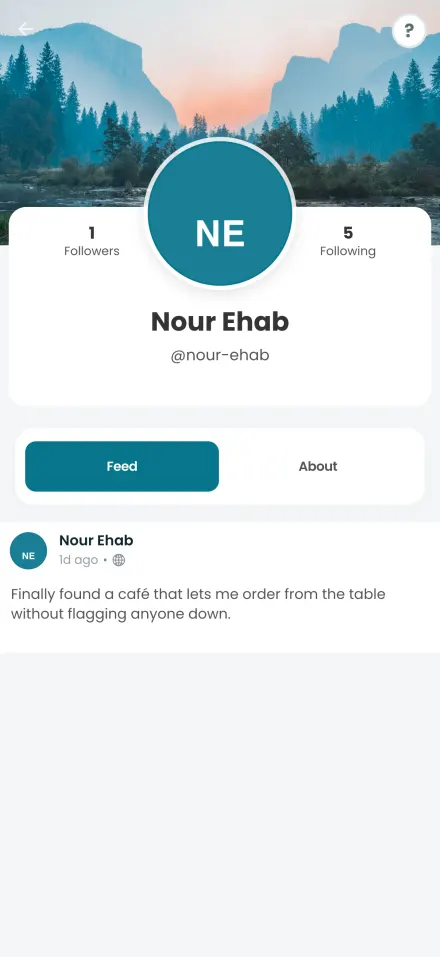
From the card, people can open your Profiley profile to see your posts and work, and follow you.
-
Private when you want
If your profile is private, the card stays locked for people you have not accepted.
-
Lost & found stickers
Print a “Found this? Scan to reach the owner” sticker for keys, bags or luggage, so whoever finds them can reach you.
-
Scan stats
See how many times your card’s code has been scanned, and when.
What your customers and your team see
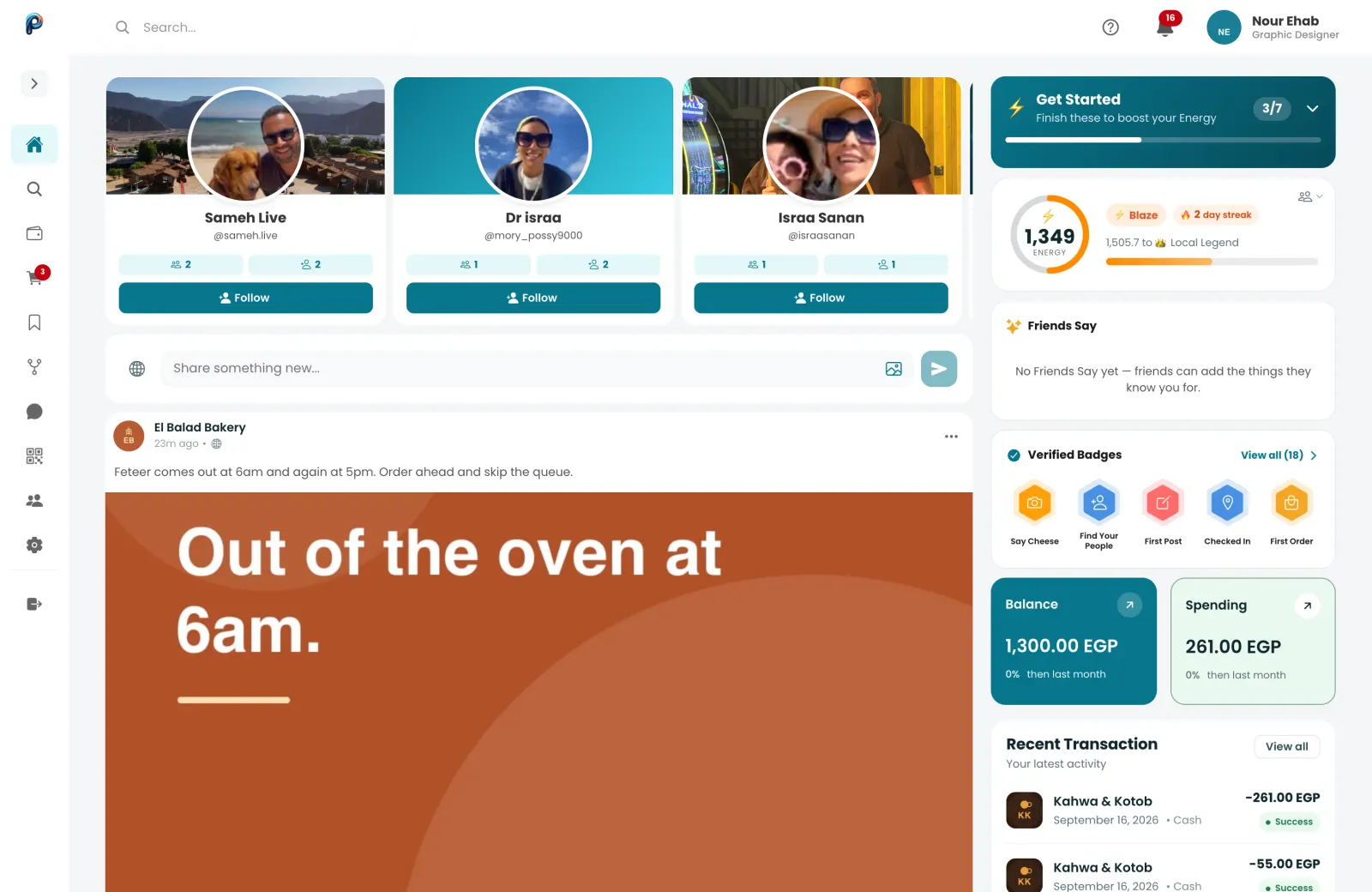
Real screens from Profiley: a complete workspace for your team on a laptop or tablet, and a phone experience your customers can start in seconds from a browser, in English or Arabic.
Your digital business card in three steps
-
1
Add your details
Your phone, website, location and social links, once, in your profile.
-
2
Create the code
Make a QR code with Contact card as its destination.
-
3
Share or print it
Show it on your phone, add it to your print, or stick it on your laptop or bag.
- Zero setup fees
- Zero monthly subscriptions
- No transaction fee at all on cash.
Questions about the digital business card
What is a digital business card?
A web page with your contact details that people open by scanning a QR code. Unlike paper, it can be updated at any time and saved straight to a phone.
Does the other person need an app?
No. The card opens in any phone browser, and Save contact adds you to their phone without installing anything.
Can I change my details after printing the code?
Yes. The code always opens your current card, so changes show up immediately without reprinting.
Can I use it as a lost and found tag?
Yes. Print the Lost & found sticker and put it on keys, bags or luggage. Whoever finds them scans it to reach you.
Is it free?
Yes. The contact card, its QR code and the printable stickers are free.
Make your digital business card
Add your details once and share them with a scan. Free, and ready in a minute.